
Fluxo de depósito e retirada de mochila Crypto / USDT
Overview
Backpack Pay allows traders to credit their fund by depositing Crypto. Support now ERC20(USDT),Coming soon TRC20,BTC
Acquire crypto investors and let them deposit to your platform automatically with their native wallet
Offer them easy withdrawls directly to their wallet
All deposits can be directed to a our partner (AJMC) binance custodian corporate account or the broker wallet .
All withdrawals can be sent to a broker account daily, weekly, monthly
With full collaboration with Tradesmarter platform and AJMC, there is dedicated view to see all transactions under payment log report as well as the hashkey on the blockachain
Part 1: How does USDT Deposit work ?
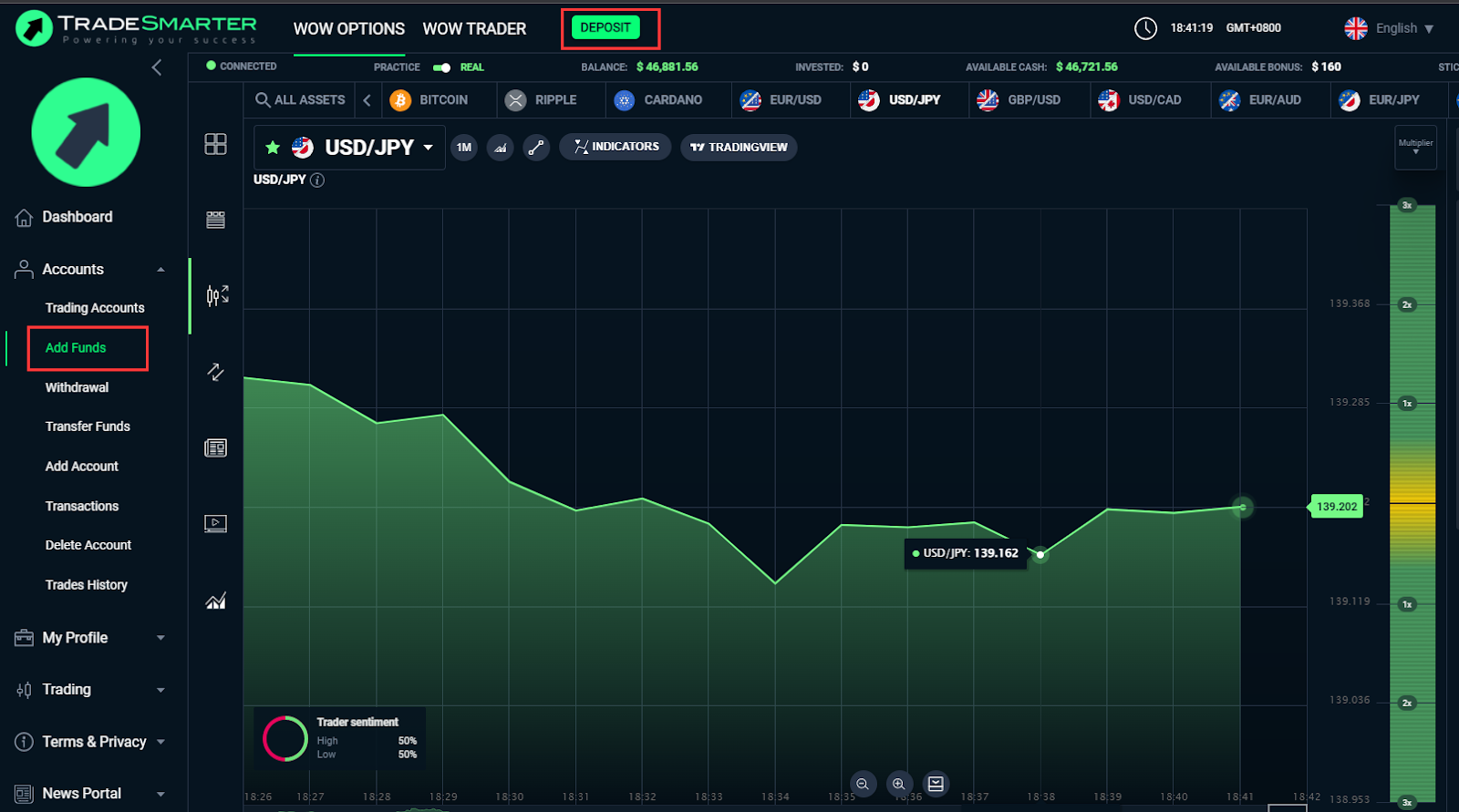
Step 1: Users log in and click on "Deposit" on the left top or Select "Add funds" in the left menu.
Step 2:
Click on “USDT Deposit“
Enter the required deposit amount
Click in “Deposit“ button
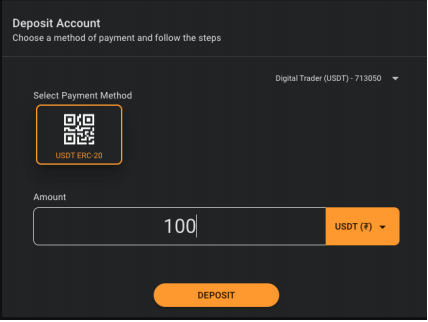
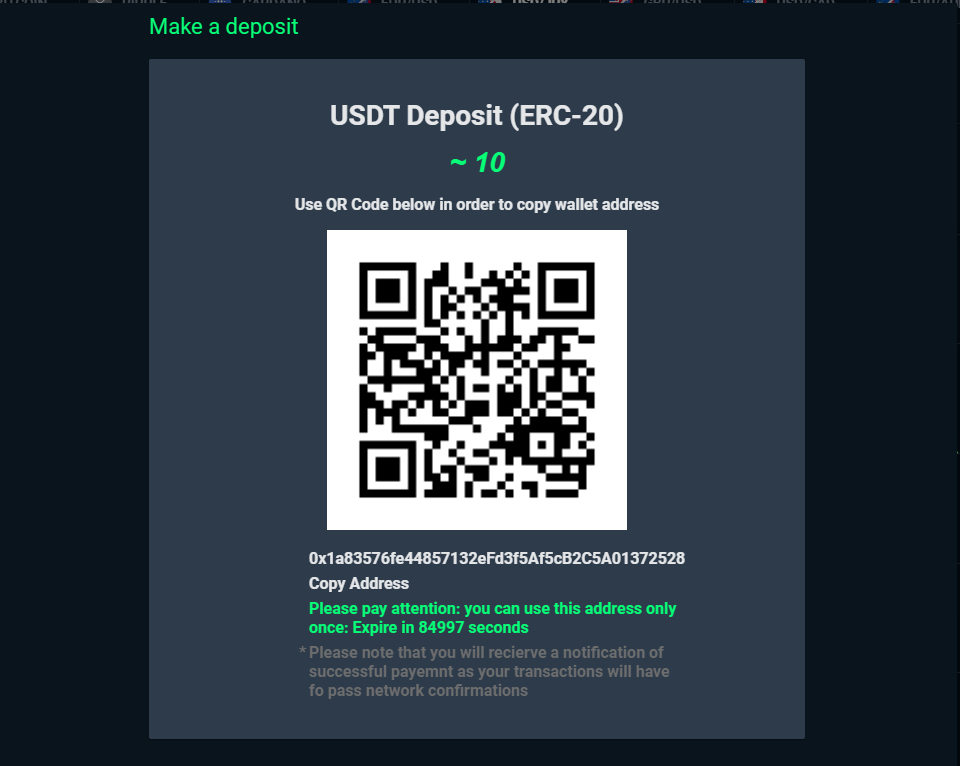
Step 3: New QR code is generated everytime user ask to make a deposit.
Use native USDT wallet to scan QR code or copy the address under QR Code to login USDT wallet
Step 4: Log in wallet and click on “Send“ button
Step 5: Enter the copied link and click on “Next“ button
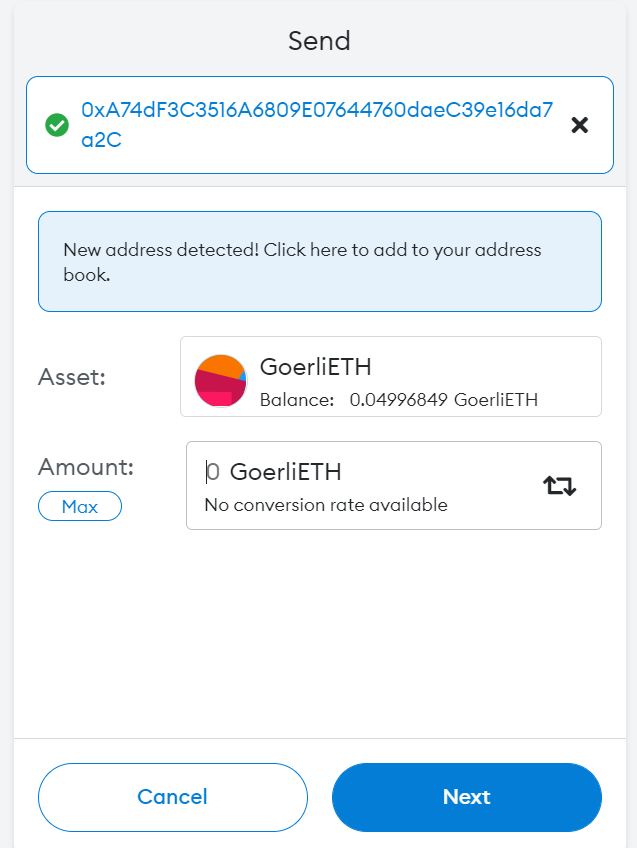
Step 6: Click on “Confirm“ button.User send money to that specific address which automatically credited his account
Money sent to custodian or brokers wallet
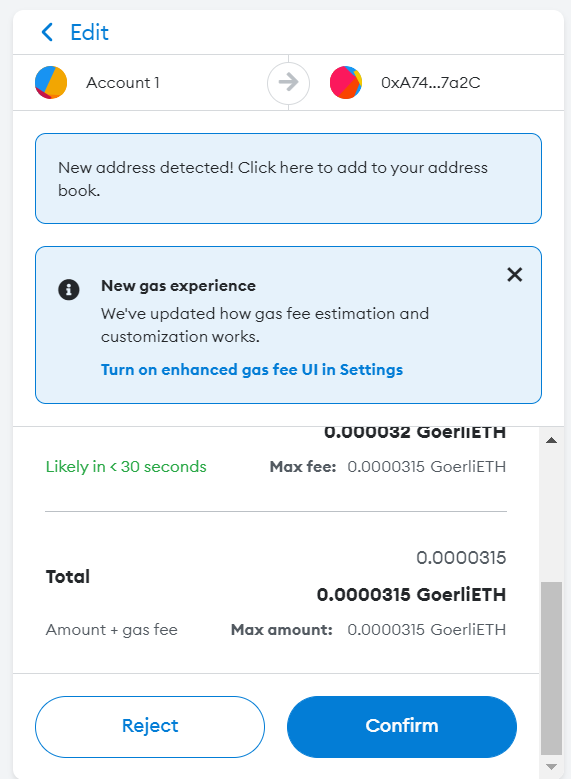
Step:7: Immediately after the account of the user is being credited and hash transaction are saved for the transaction. The funds are moving to either Broker wallet or custodian sub account in binance.
Part 2: How does USDT Withdrawal work?
Users click on “withdrawal” in the left menu and input withdrawal USDT amount, choose USDT from withdrawal methods. user need to add wallet ID. Then click on “Submit”.
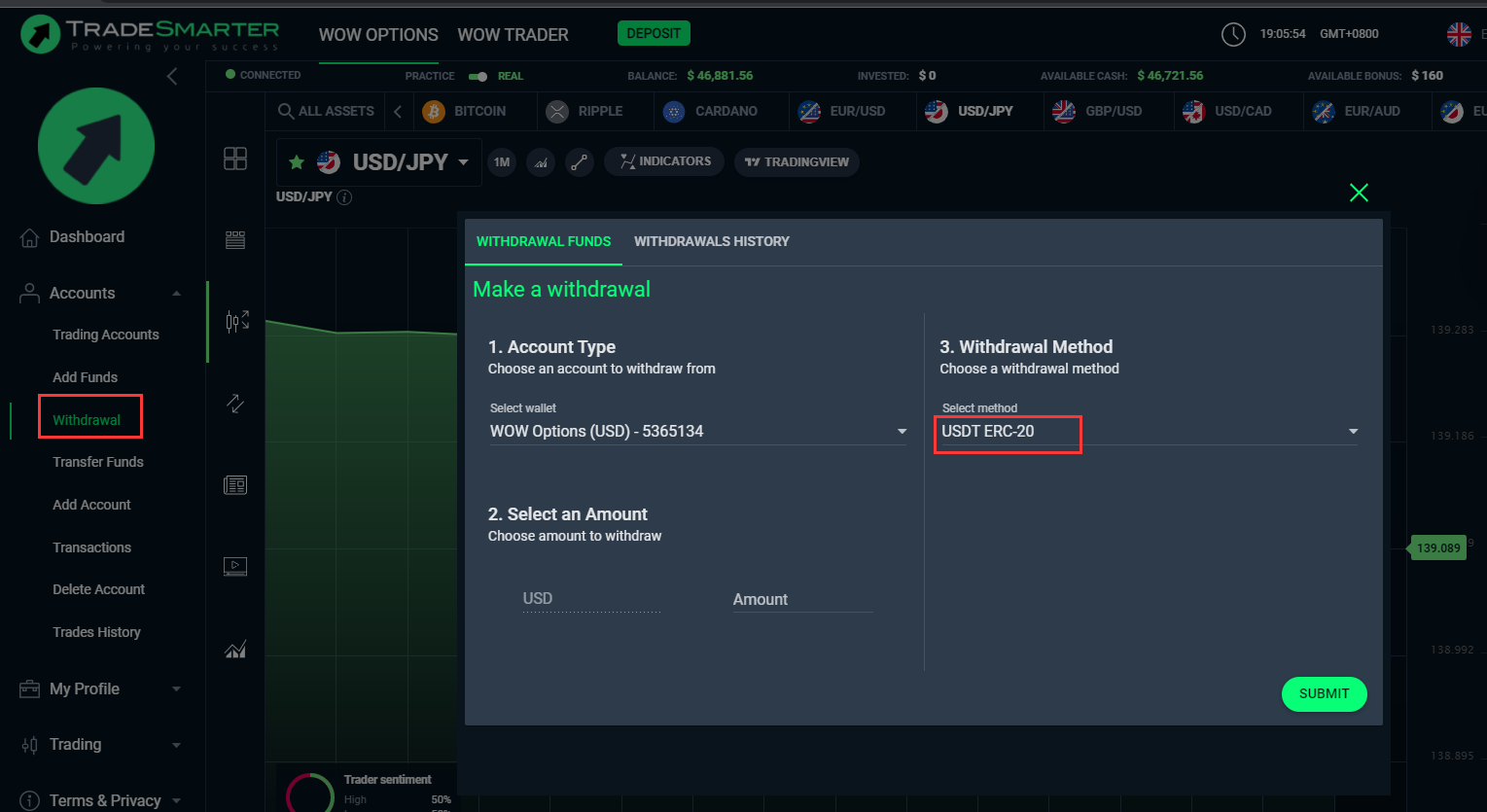
Users can receive their funds/winnings back to their wallet. Withdrawals are done manually by the operator using the back-office