
ログイン
Make sure the following code is inserted in your HEAD section:
<script src="https://bpw.brand.com/BPWidgets/embed/widgets-iframe.js"></script>
The login process will create a session in our system and a unique cookie will be created in the user's browser.
Widget implementation:
<div id="bpwidgets"></div>
<script type="text/javascript">
bpApp({
apiHost: 'https://bpw.brand.com',
themeSet: 'default',
lang: 'en',
state: 'wowMain.login,
redirectSuccess: 'https://www.brand.com/deposit',
redirectFailure: 'https://www.brand.com/',
}).render( '#bpwidgets');
</script>
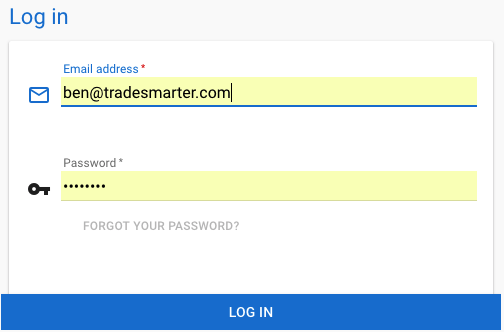
API - If you choose to use your own registration form, you can use an API call to achieve the user registration.
https://documenter.getpostman.com/view/4889695/RWTiy178#a80ad88b-d846-46d9-8e8d-77da19eb8d2f
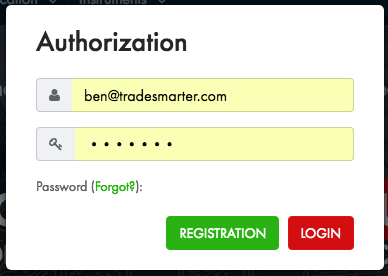
Based on your wanted flow, you can redirect the user to the dashboard or directly to your default trading platform.
Login flow -
1. Login for the user (don't forget to use the right API user credentials, and send the password in MD5 hash)
https://Platform-api.tradesmarter.com/index/login?email=email@email.com&password=fd6138204c4eb1dd19e63896c1557e27
Response should give you session ID.
2. Redirect user to Deposit
https://bpw.brand.com/index/sign-in?session=ed3a21dba9ace954499b362c59460d32&keepSession=1&redirectUrl=https://www.brand.com/deposit
If you want to check if the user is logged in or not, simply look for the cookie called bpw.brand.com - if there is userID presented - there is a session and the user is logged in - he can have access to personal sections and all widgets will work properly.
https://tradesmarter.freshdesk.com/solution/articles/9000106783-content-site-log-in-out
Reminders:
Available widgets and their states - Click here
Make sure the following code is inserted in your HEAD section:
<script src="https://bpw.brand.com/BPWidgets/embed/widgets-iframe.js"></script>