Click2Call - Tombol Panggilan Telepon
Overview
We've been integrated VoiceSpin (https://www.voicespin.com) Click2Call solution for call centers.
- This flow allows the broker to hide phone numbers from agents in all CRD areas.
- Allow agents to service different brands with different dedicated extensions.
The flow:
- Agent click on "Phone Call" button in the client's dashboard.
- An API call is sent to VoiceSpin with the brand ID, the userID, the user phone and the agent's extension number.
- A call is initiated to the correct extension on the agents desk (or softphone).
- Once the agent pick it up, the call is being connected to the client.
How to configure -
On VoiceSpin side:
Click on "Agent Panel"
Enter credentials and click "Open Panel"
On Backpack Side:
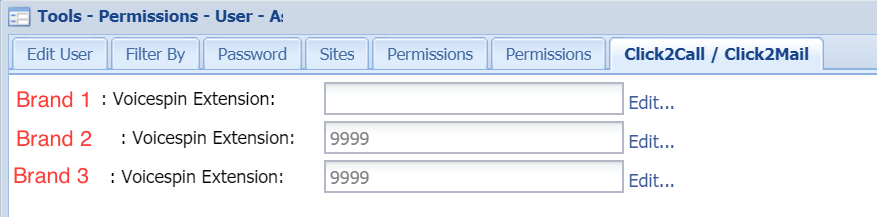
Go to agent Area in the CRM
Update the agent’s extension number
Save
To execute a call, click on “Phone Call” button.
This initiate a call to the agent’s extension, and once he answers it will connect the client to the call.