
GDPR - Perubahan back-office yang lebih cerdas
Objectives - to comply with GDPR regulation on handling and protecting the user PII.
PII - Personally identifiable information - is any data that could potentially identify a specific individual. Any information that can be used to distinguish one person from another and can be used for de-anonymizing anonymous data can be considered PII.
Disclaimer - Tradesmarter has made the following changes after long research and professional consultations. However, it is advised that you consult with your legal advisors to ensure you, as a data controller, are not exposed to any violations of the law.
Consent popup
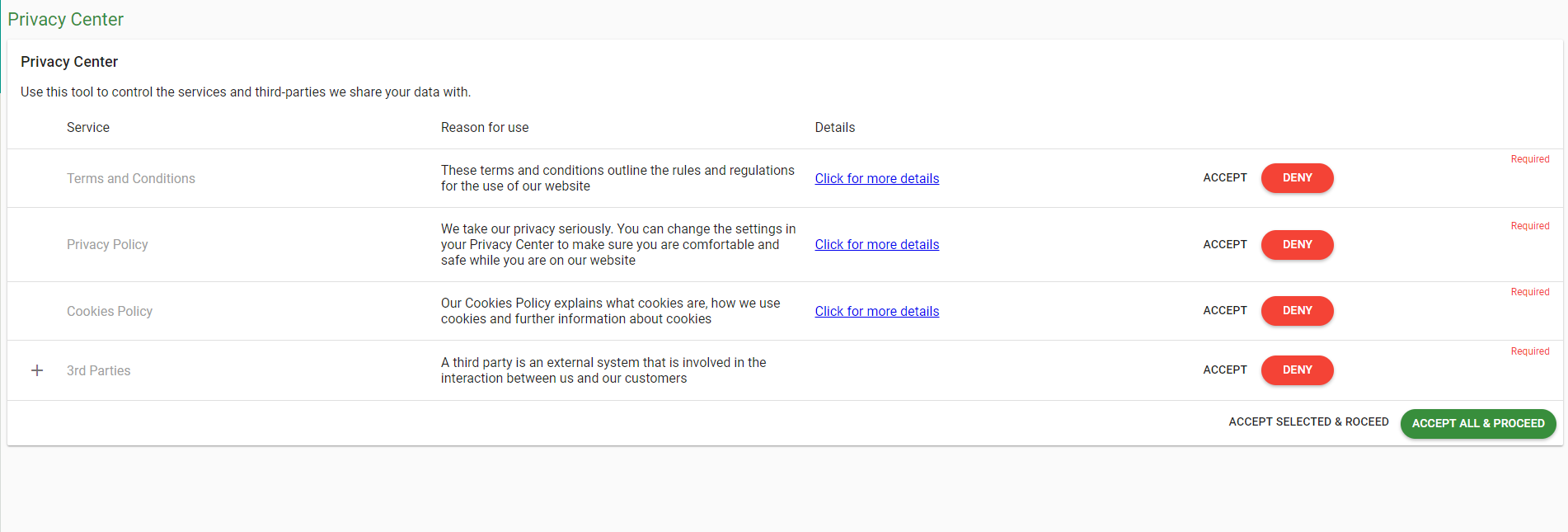
When the user enter the dashboard widget (either stand alone or embedded within your website), he will see a popup with a note saying
“In accordance with the new EU data protection law, please take a minute to review your privacy settings for our services. Our Privacy Center describe how we use data and the options available to you.”

Clicking the “Update Privacy” button will lead the user to the new “Privacy Center” widget.
Privacy Center
In the new Privacy Center widget the user can (should) accept the changes you’ve made in your legal documents, according to GDPR.
Terms & Conditions
Privacy Policy
Cookies Policy
3rd Parties
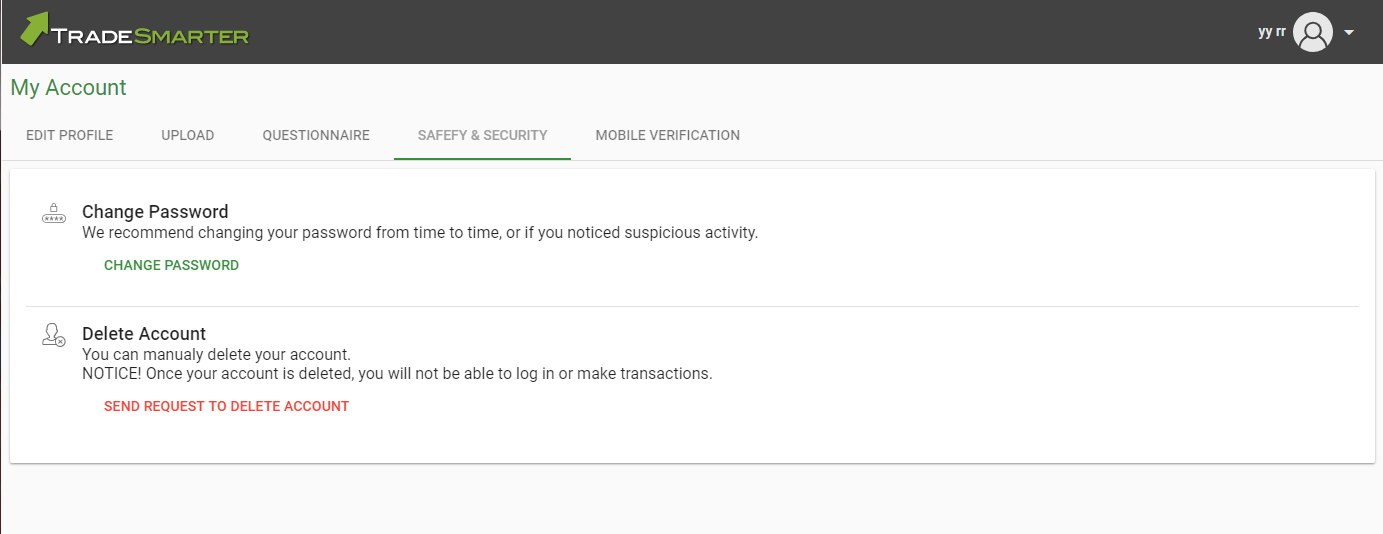
Please note that accepting all 4 documents is required by law, and user that do not wish to accept these conditions will have the option to close his account and delete his personal information from the servers.
*Until the user accepts the terms, the “Consent” pop-up will keep showing when the user enter the dashboard.
Delete request Option - inside "Safety & Security" tab - Replacing the “Change Password” tab.
To support the “Delete Account” request we made few changes in the CRM.
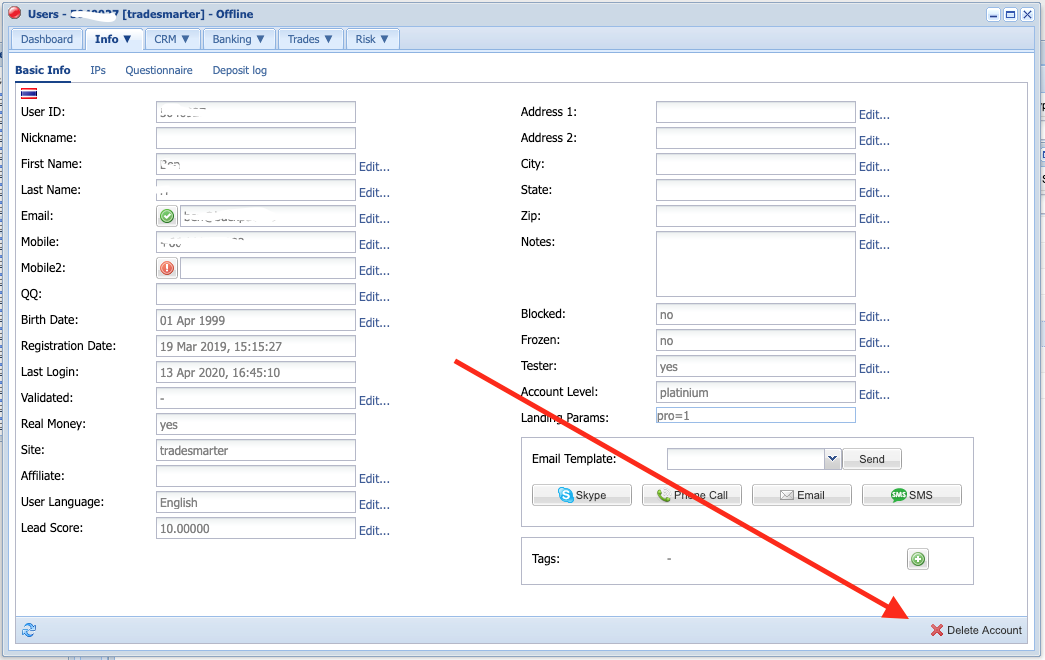
--- Delete Account by agent is available in the CRM -
User Dashboard => Info Tab => Right bottom corner.
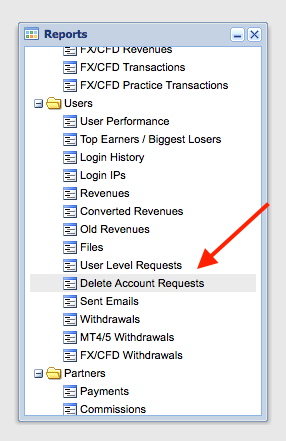
New report added - Delete Requests.
This report show all the users that requested to be deleted. It can be sorted by name, ID, dates. The agent can schedule follow up date or assign the user to another agent for further discussion. The report can be filtered by “Requested” and “Deleted” status.
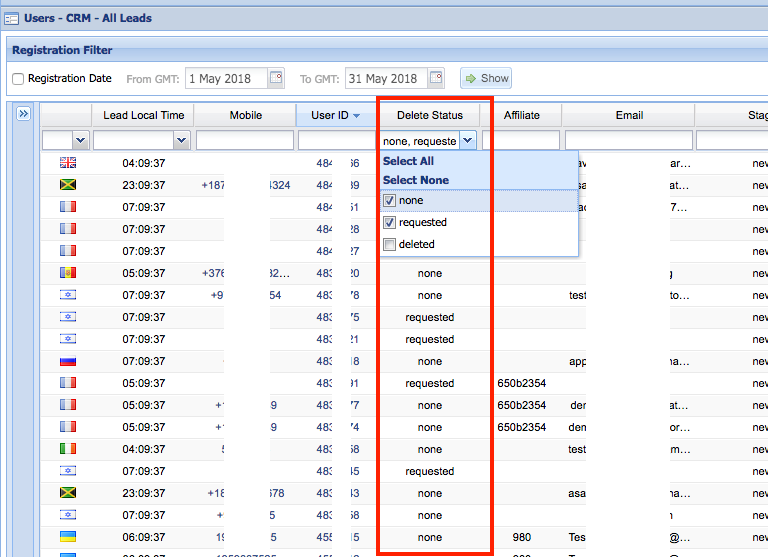
New column added to different “Leads” reports, showing the status of the user in terms of deletion:
None - most of the users, default status for users that did not ask for deletion.
Requested - Users that requested to be deleted.
Deleted - Users that were deleted from the system
*Deleted users will be pre-filtered OUT of the reports (Similar to testers.. They are there but you need to “tick” them in order to see them).
When user requesting to delete his account the following changes / flows will happen:
The system will freeze the user’s account. (The agent can unfreeze the user after initial discussion)
The user will be added to the “Delete Requests” report
When user’s request is approved, the following changes will happen:
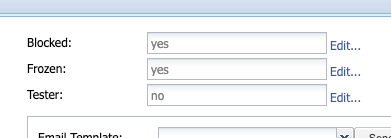
The system will freeze and block the user’s account.
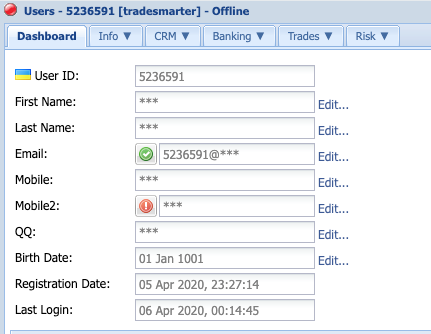
All personal data will be removed from the CRM, and will be replaced with “stars” (*****).
Email address will be changed to “userID@***” (for example, user 12345 email address will become 12345@***).
Deposit notes (usually containing credit card information) will be deleted.
User Stage will be changed to “Canceled”
The user will be filtered out of the different reports. (Similar to “tester” users).
All financial stats will remain as is in all financial reports (deposits, transactions, trades. If you wish to remove the user from the stats, he should become a tester as usual.
Important notes
You, as the Data Controller, are the decision maker in regards to the deletion requests of your users.
Tradesmarter, being your data processor, made it technologically possible for you to comply with the EU GDPR regulations and offer your users the security and safety policies required. We do NOT delete user’s accounts by default, the request is NOT granted automatically by the system and it can be processed only by your actions (Manual or via API).The deletion process is final and irreversible - Once the user’s account was deleted, the user’s PII can’t be restored under any circumstences!