
Menerapkan Pemilih Mata Uang (tingkat teknis panduan: khusus pengembang)
Bagaimana cara menambahkan menu mata uang ke platform perdagangan Anda
This guide will provide you with an explanation and examples of how to add a currency selector to your trading platform widget.
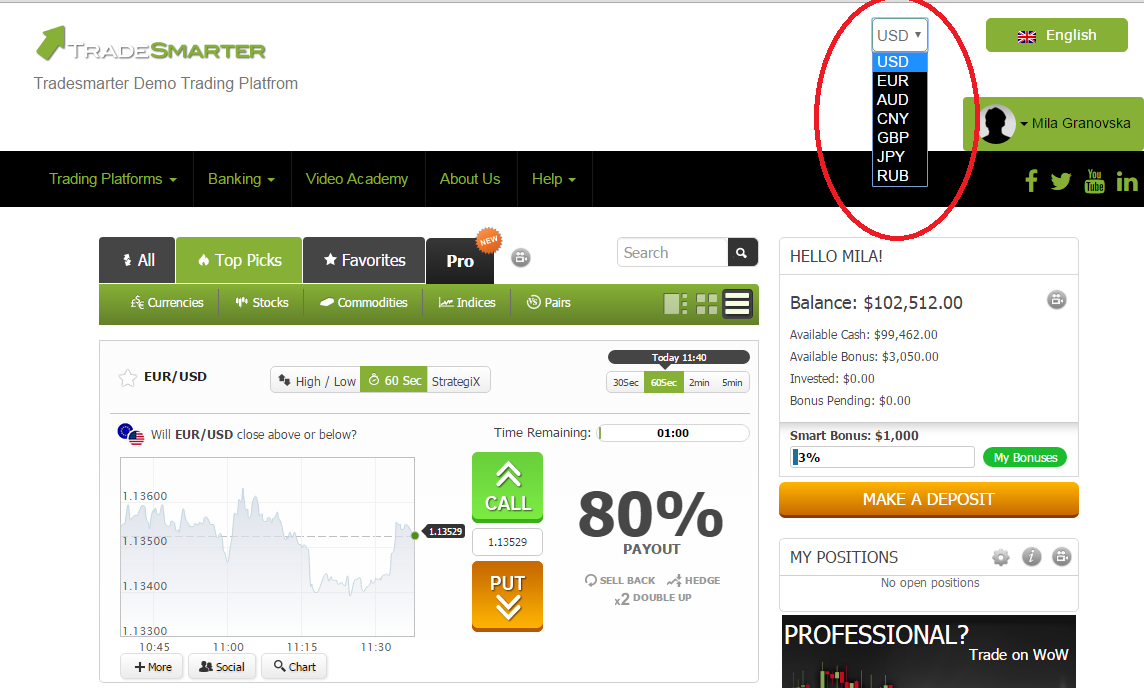
In order to add a currency to your trading platform you will have to use a url parameter named "currency".
When calling the trading platform widget (iframe) on your content site trading page all you have to do is include this parameter in the iframe url
Lets take the "Tradesmarter" brand trading platform as an example,
Your iframe url is: http://trading.tradesmarter.com
In order to change the platform currency you will have to include the "currency" parameter,
so for USD currency you will have to change the iframe source to:
http://trading.tradesmarter.com?currency=1
this will load the trading platform with USD currency.
Creating a dynamic currency selector:
First you will have to create an html "select" input like so:
<select>
<option value="?currency=1">USD</option>
<option value="?currency=2">EUR</option>
<option value="?currency=3">AUD</option>
<option value="?currency=4">CNY</option>
<option value="?currency=5">GBP</option>
<option value="?currency=6">JPY</option>
<option value="?currency=7">RUB</option>
</select>
Later you will have to:
1. add a script that will detect a change event on the select input
2. get the selected value from the select input
3. change the trading platform iframe url and add the relevant currency parameter
Overall your Trading platform source code should look something like that:
<div id="curency-selector">
<select>
<option value="?currency=1">USD</option>
<option value="?currency=2">EUR</option>
<option value="?currency=3">AUD</option>
<option value="?currency=4">CNY</option>
<option value="?currency=5">GBP</option>
<option value="?currency=6">JPY</option>
<option value="?currency=7">RUB</option>
</select>
</div>
<script>
(function($) {
$(document).ready(function() {
var TsPlatfrom = $("#trading-platfrom");
var baseSrc = TsPlatfrom.attr("src");
var CurencySelector = $("#curency-selector");
$(document).on('change', CurencySelector, function() {
var selectedCurreny = CurencySelector.find('option:selected').val();
TsPlatfrom.attr("src", baseSrc + selectedCurreny);
});
});
})(jQuery);
</script>
<iframe id="trading-platfrom" onload="scrollTo(0,2);" src="http://trading.tradesmarter.com/en" id="iframe" width="100%" height="1900" style="border: none;" scrolling="no"></iframe>
You can see the code in a full width display here