
Design - Required Materials
This document specify all the required design materials for a full turnkey solution. The brand/designer should provide only the items related to the scope of the project.COMPONENTS
- Logo
- Simple Trader - Theme creation
- WOW Trader and Widgets - Theme Creation
- Native Mobile Apps
- App Store Requirements
LOGO
We implement your logo in a few places.
Our format requirement are:
.png image
transparent background
maximum height of 40px (for best proportions on platform, desktop and mobile).
Logo should match dark background or light background, based on your brand's Theme.
Example -

Action Items:
1. Provide logo.png file.
2. Provide path to uploaded image on your server.
SIMPLE TRADER - Theme creation
In order to customize a theme for your Simple Trader, we've created an .xd guide.
Please replace the colors in the template with your own desired colors, and send us the updated file for implementation.
Example -
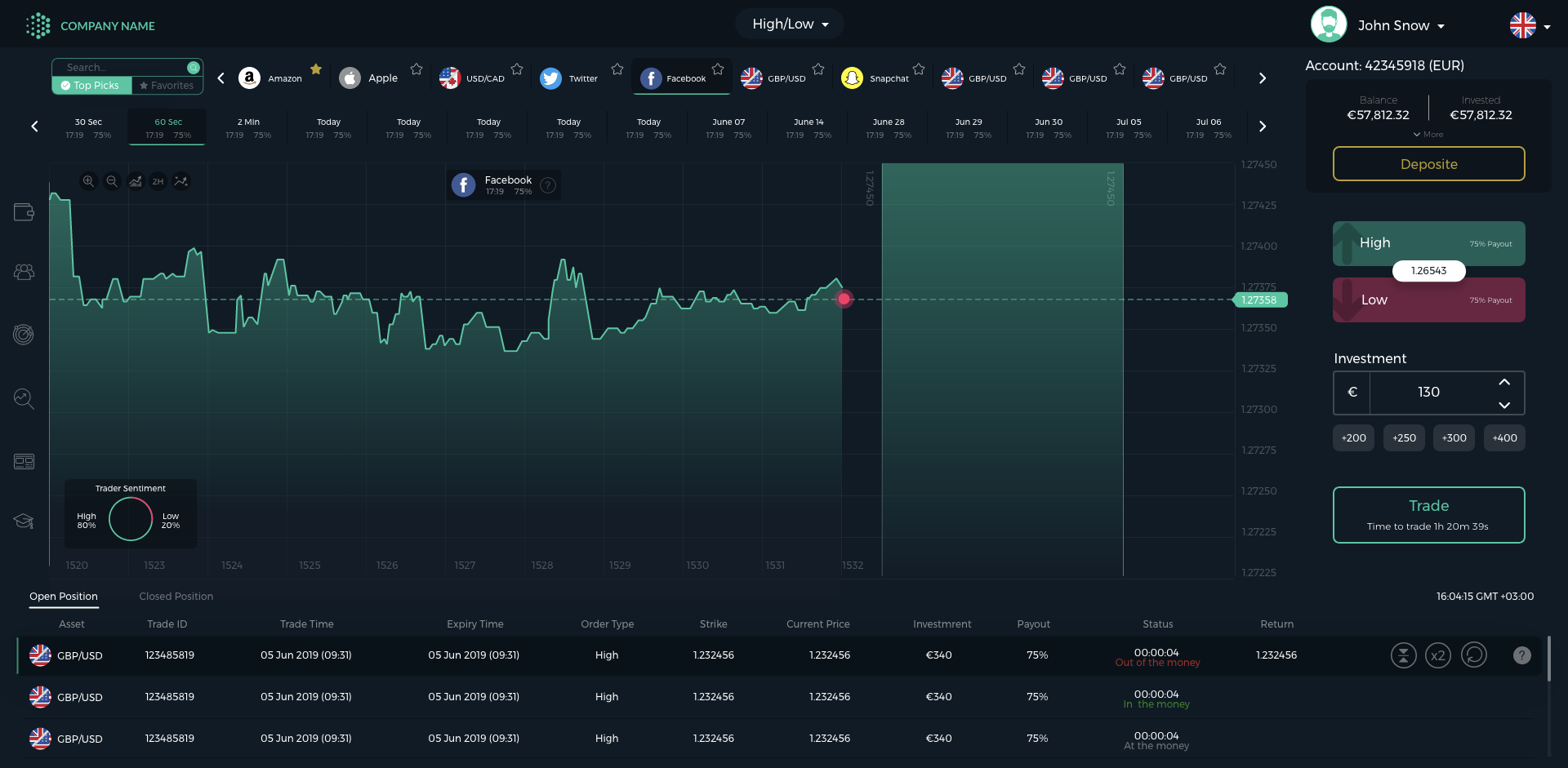
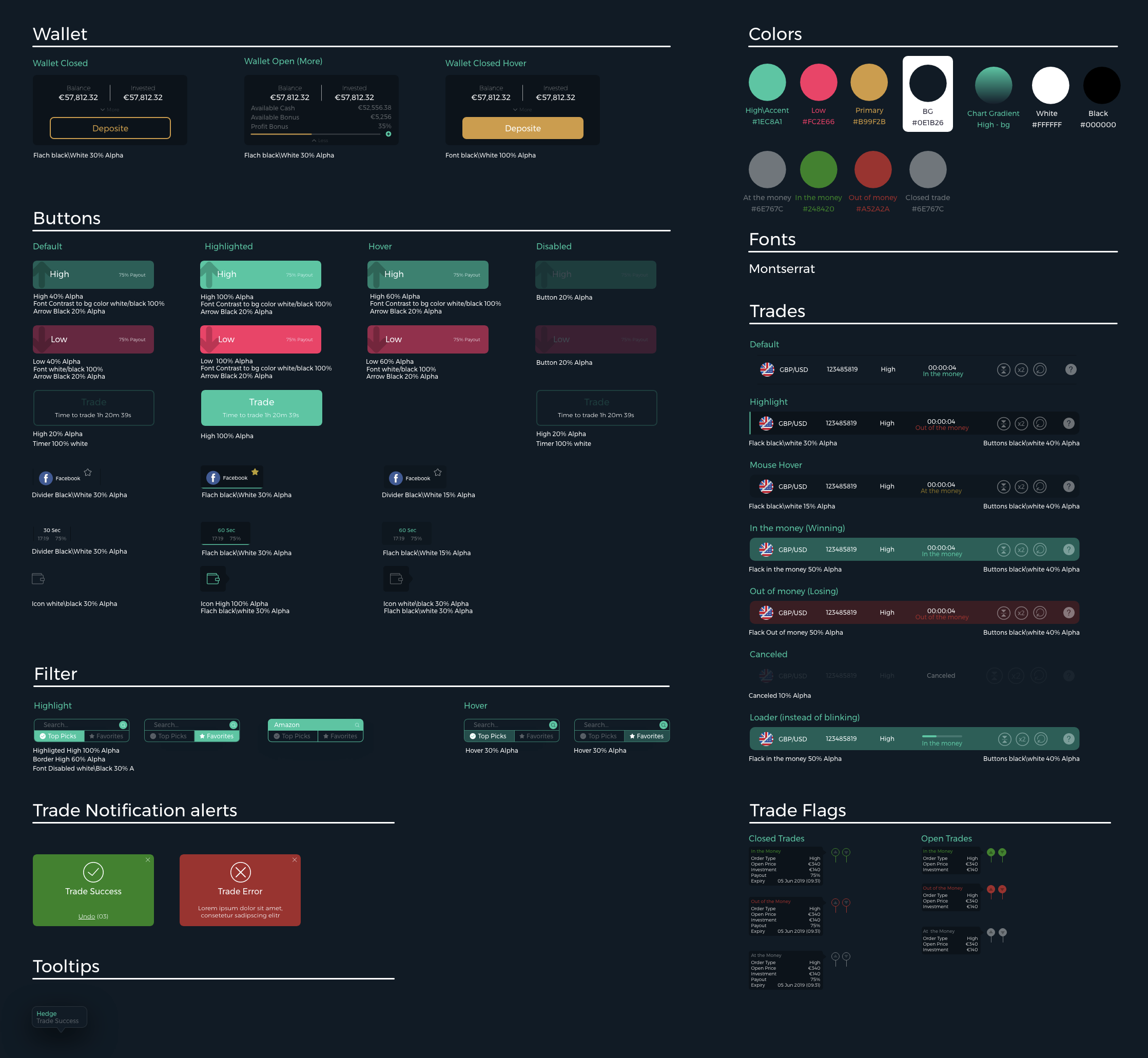
XD is a free wireframe, design, prototype software that you will be able to download in the following link (for Windows and Mac) - https://www.adobe.com/products/xd.html
Action Items:
1. Revise the file "Simple Trader Theme Set.xd" with your own colors.
WOW TRADER and WIDGETS - Theme Creation
WOW Trader and the WIDGETS ThemeSets are controlled by Json.
Attached here mapping of the themeSets and an example of a jSon.
"WOW Trader Platform themeSet jSon.txt"
"WOW Trader Platform Mapping.pdf"
"Widgets themeSet jSon.txt"
"Widgets Mapping.pdf"
Action Items:
1. Provide both jSons with your own colors.
NATIVE MOBILE APPS
In order to customize a theme for your Simple Trader, we've created an .xd guide.
Please replace the colors in the template with your own desired colors, and send us the updated file for implementation.
Images needed in addition -
1. Icon - 1024x1024 .png
2. Splash - 600x600 .png
3. Menu Logo - Min 50x height .png
4. Onboarding Logo - SVG format.
Action Items:
1. Revise the file "Wow Trader App Theme Set.xd" with your own colors.
2. provide requested images.
App Store requirements
For the actual app page in the stores, you will need to create these images and upload directly to the stores.
The images for the IOS app should be frames of the actual app, that describe the user will see once he will install it.
Please make sure not to use a specific model of IOS device as a frame for these images, since apple will reject it.
For the Android images, you can use more marketing approach, you can find instructions in google support here- https://support.google.com/googleplay/android-developer/answer/1078870?hl=en