
How to setup commission for affiliates
Brand Default Commission Setting
This setting is for all affiliates in this brand, which means any affiliate will use commission plan by default.
Step 1: Come to Affiliate admin backoffice: partners.broker.com/admin
Step 2: Choose Management--Merchants
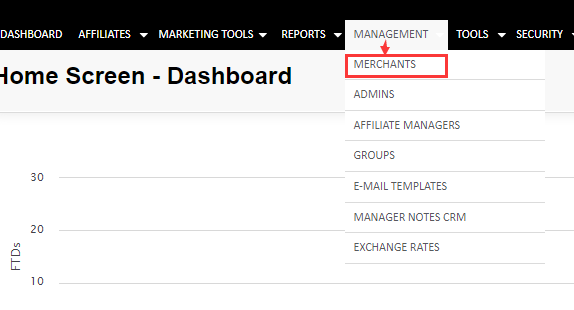
It will show brand default affiliate commission plan for all affiliates.

Step 3:Click on "Edit"--Edit brand default affiliate commission
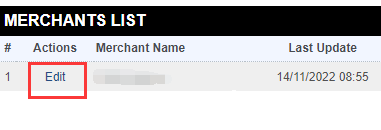
Step 4: Come to Default Commissions module
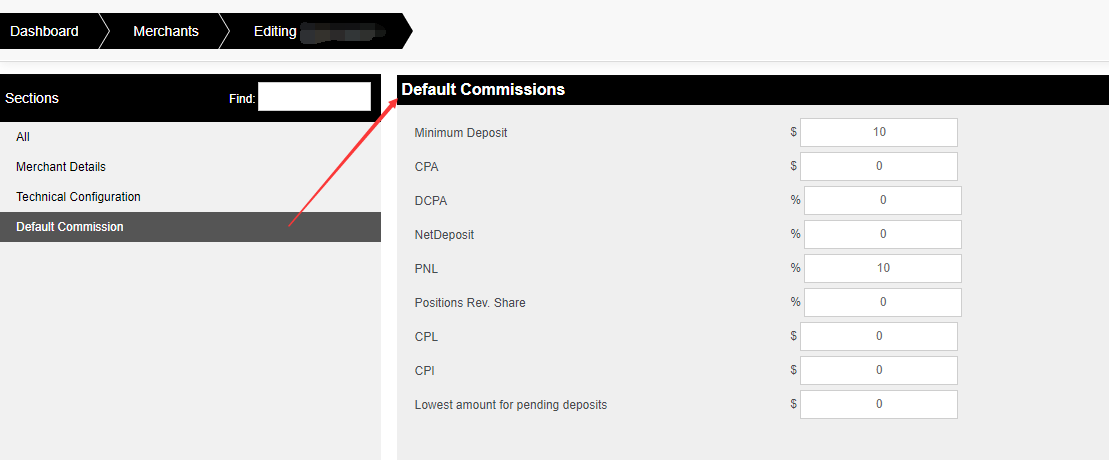
There're 9 types of commission plans. Here we list 4 most popular types:
Commission type | Description |
Minimum Deposit and CPA | Minimum first time deposit that user need to make in order for affiliate to receive fixed amount as in CPA |
| Net Deposit | % from total deposit minus total withdral that user made |
| PNL Rev. Share | % from profit and loss of the user |
| Positions Rev. Share | % from volume that user made |
For example
PNL percentage as 10%,which means 10% of users(who register under this affiliate) trading PNL(profit&loss) will become to affiliate commission.
If set min deposit as 10$, and PNL percentage as 10% , which means users(who register under this affiliate) deposit more than 10$, his 10% trading PNL(profit&loss) will become to affiliate commission.
Step 4. Qualified commission
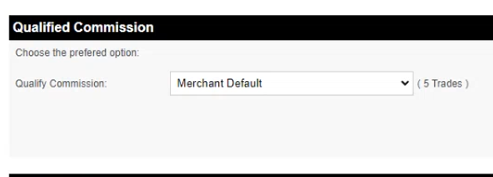
User need to create minimum 5 trades in order for affiliate to be entitle for commission
this can be changed by clicking on Qualified commission choosing trades and enter different number then 5
0 will mean that user doesn't have to open any trades for the affiliate to be entitle for commission .
Step 6: Click on "Save" in the buttom
Different Commission Setting for Specific Affiliate
This setting is used for different setting commission plan from default plan for Specific affiliate.
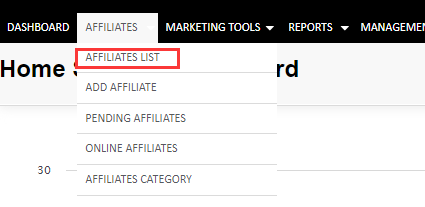
Step 1: Choose Affiliates--Affiliates List
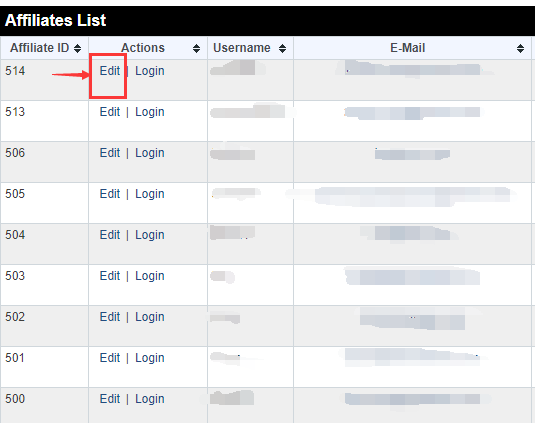
Step 2: Choose any affiliate that would like to set and click on "Edit"
Step 3: Come to Deal Type module, set commission plan for this affiliate.
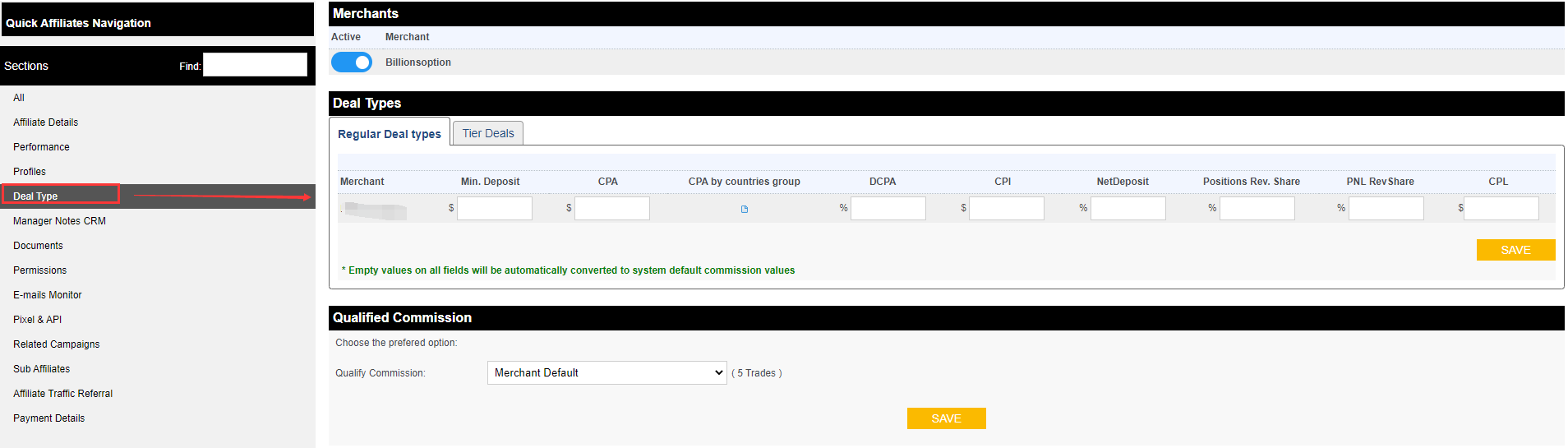
Step 4: Click on "Save"