
How to pay commissions to affiliates
Step 1: Go to Billing -- Affiliate Billing
Step: 2: Choose exact month and year, and click on "Generate"
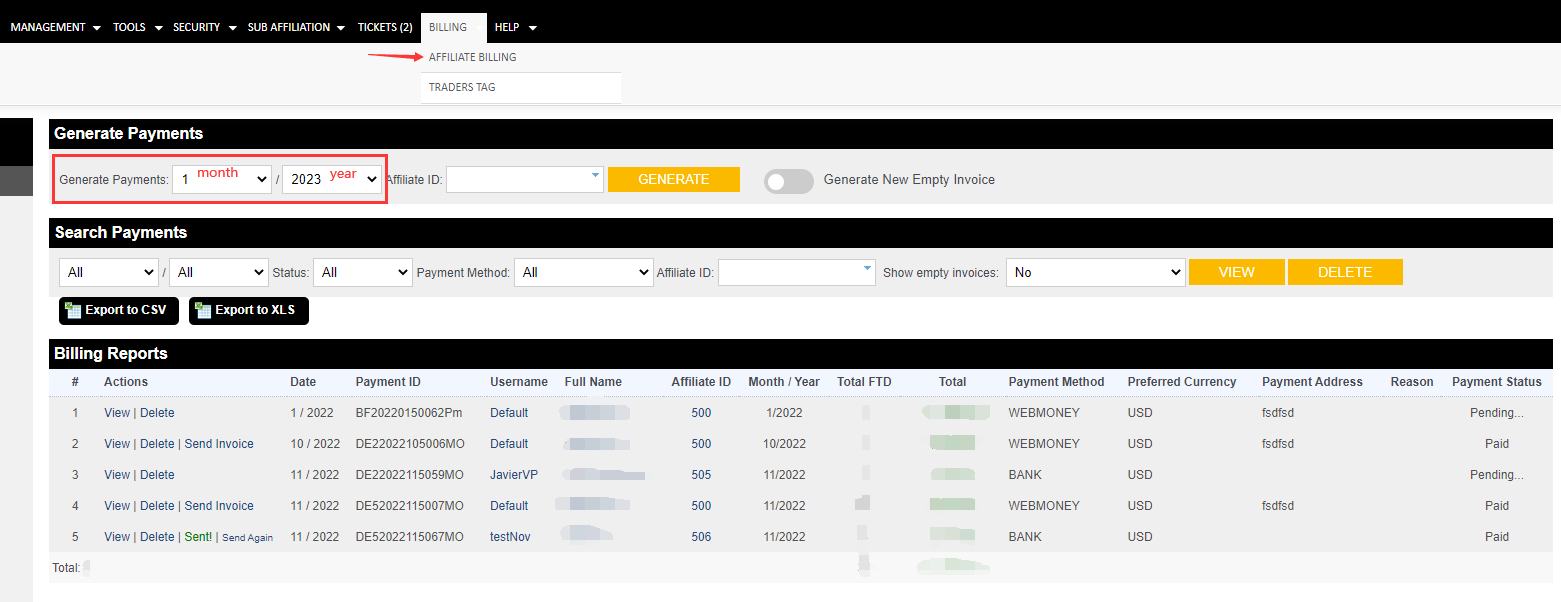
Step 3: Choose any one in generated invoice,click on "View” and open invoice

Step 4: Confirm affiliate information and payment information
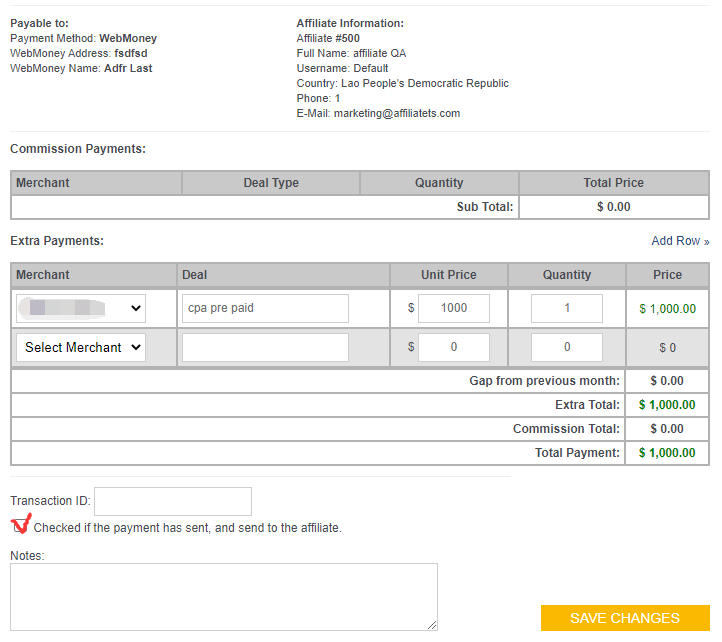
Step 5: Transfer commission fee from a real account to affiliate account, which is out of affiliate system
Step 6: Fill in Transaction ID in invoice-- input the payment ID which pay in real account
Step 7: Click on "Checked if the payment has sent, and send to the affiliate", and then Click "Save Changes"
Step 8: Come back to Billing report, choose the invoice that just Save Changes, and click on "Send invoice", affiliate will get this invoice with commission details. And the payment status will change to "Paid"
