
How to Assign Trader to Affiliate
Overview:
Sometimes the trader cannot register under affiliate wit some wrong operation. In this case, trader need to assign to affiliate manually.
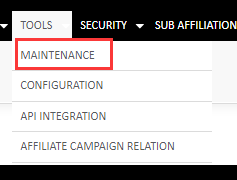
Step 1. Come to affiliate management system(admin), choose Tools--Maitenance
Step2. Search the trader ID that need to assign to
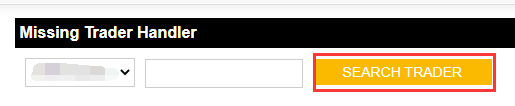
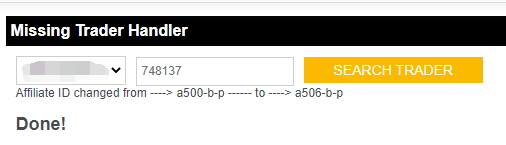
Step 3. Click on Search Trader, it shows current affiliate ID of this user.
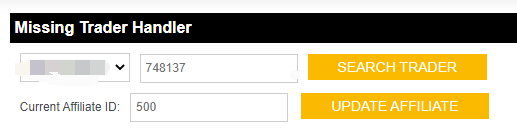
Note: Traders that haven't assigned to any affiliate shows as under affiliate ID 500 by default.
Step:4. Change the affilaite ID that would like to assign, such as 506, then click on "Update Affiliate"
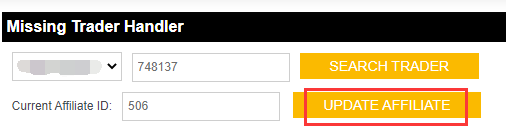
Step 5. When system shows " done", means this trader has been assigned to this affiliate from now on.
Note: Previous data of this trader cannot move to this affiliate. Only the data after assignment will calculate under this affiliate.